October 14, 2026
Geofence Attendance: How It Stops Home Punch‑Ins
Introduction – The Hidden Cost of Home Punch‑Ins
Time‑theft, often called “buddy punching,” costs U.S. employers hundreds of millions of dollars each year. When employees log hours from home or from a colleague’s device, payroll becomes a guessing game, and trust erodes across the workforce. Traditional punch‑cards and web‑based timesheets lack a reliable way to verify physical presence, leaving a loophole that clever employees exploit.
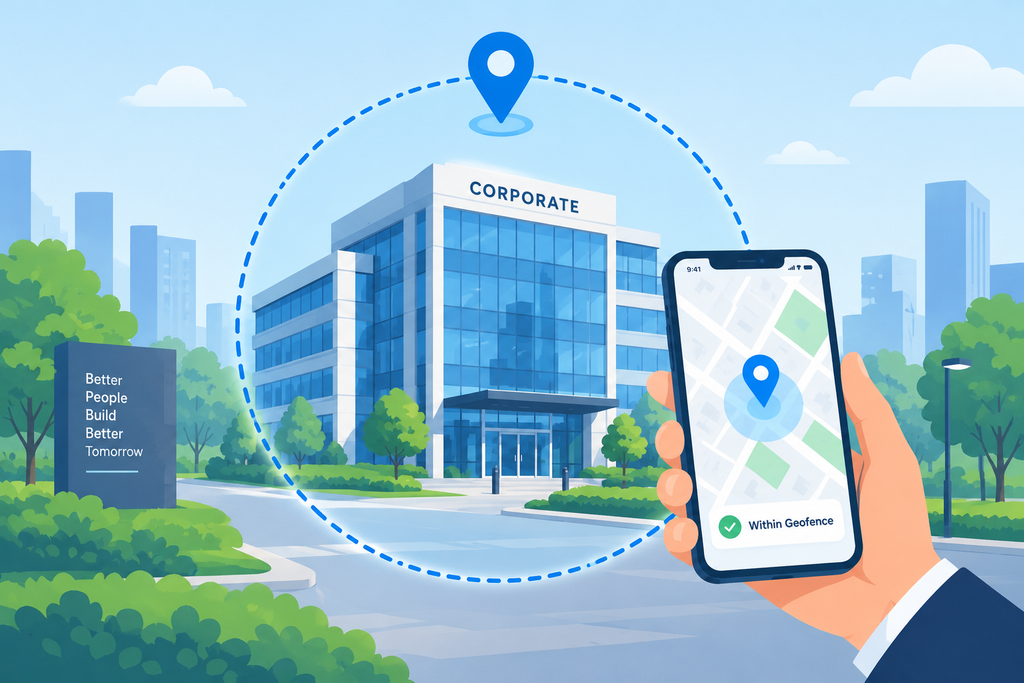
Enter geofence attendance – a GPS‑powered solution that creates an invisible, digital fence around a workplace. Only when a mobile device is inside that fence does the system accept a clock‑in or clock‑out. The result? A hard‑reject mechanism that stops home‑based punches in their tracks, while providing managers with real‑time, location‑verified data.
In this article we’ll explore the technology behind geofence attendance, how it stops home punch‑ins, the extra layers of verification that keep spoofing at bay, and practical steps for implementing it in your organization.
How Geofencing Works – From Virtual Boundary to Real‑World Action
Geofencing relies on the same satellite signals that power Google Maps. A virtual perimeter is defined by a central point (your office, warehouse, or construction site) and a radius measured in meters. When an employee opens the attendance app and taps the clock‑in button, the app instantly reads the device’s GPS coordinates and compares them to the preset fence.
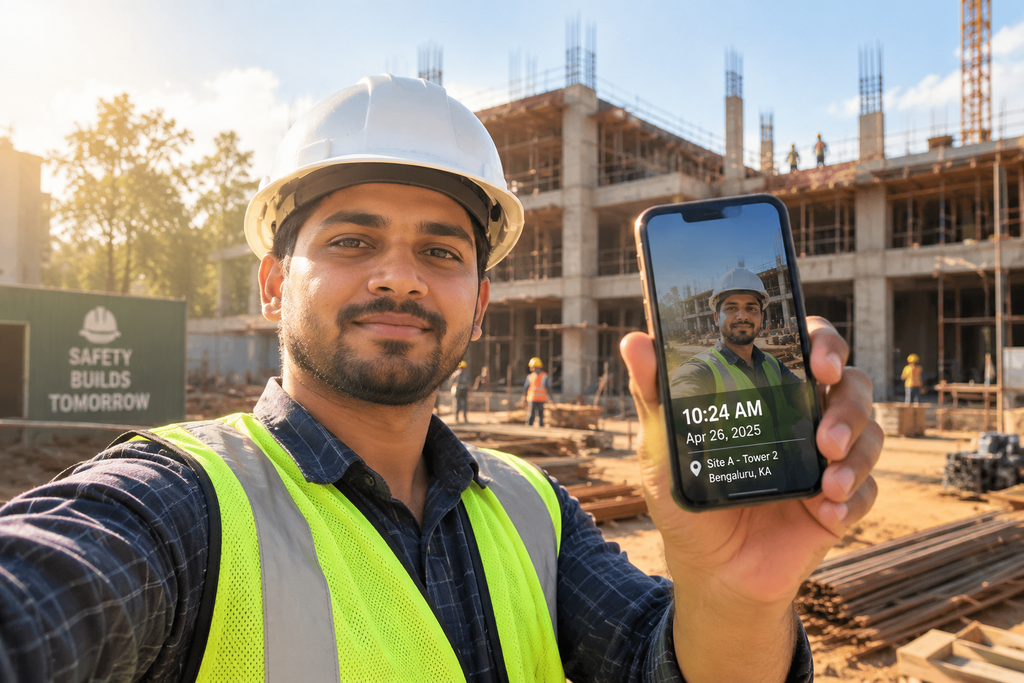
If the coordinate falls within the allowed radius, the punch is accepted; otherwise the system either denies the entry outright or flags it for supervisor review. Most platforms also capture a timestamp, the exact GPS latitude/longitude, and sometimes a quick selfie or QR‑code scan to add a second proof layer.
The process happens in seconds, requires no manual check‑ins, and creates an auditable log that can be exported directly to payroll software. For field teams, multiple geofences can be stacked – each job site gets its own fence, and the app automatically selects the appropriate one based on the employee’s schedule.
Blocking Home Punch‑Ins – The Core Defense
Because the punch is only accepted when the device is inside the fence, an employee sitting at a kitchen table cannot generate a valid clock‑in. Even if they try to spoof GPS data, most modern systems employ secondary checks:
- Selfie verification: The app prompts the user to take a live photo, embedding the timestamp and location metadata.
- QR‑code verification: A QR code displayed at the entrance is scanned at the moment of punch, tying the event to a physical point.
- Device binding: Each employee’s account is linked to a single approved smartphone, preventing a colleague’s device from being used.
If any of these checks fail, the system either rejects the punch instantly or places it in a pending queue for a manager to approve. This layered approach turns a simple GPS check into a robust anti‑fraud shield.
Buddy Punching Prevention – Real‑World Examples
Consider a retail chain with 25 stores. Before implementing geofencing, the HR team discovered dozens of “early‑arrival” punches that didn’t match badge‑in logs. After rolling out a geofence with a 150‑meter radius around each store, the number of out‑of‑bounds punches dropped by 92 % within the first month. The remaining anomalies were quickly investigated and resolved, saving an estimated $18,000 in payroll errors.
For a concrete case study, read our previous post on Buddy Punching: What It’s Really Costing Your Business (and How to Stop It). The figures illustrate how location‑based verification directly cuts time‑theft costs.
Multi‑Site & Field Teams – Extending the Fence
Field workers, construction crews, and delivery drivers often move between job sites throughout the day. Geofencing shines in this environment because you can define multiple zones, each with its own radius and shift rules. When a worker enters a new zone, the app automatically records an “arrival” event and starts the clock; leaving the zone triggers an auto‑clock‑out.
Many platforms also integrate with scheduling tools so that only the zones assigned to a particular employee’s shift are active, preventing accidental clock‑ins at the wrong site. This level of granularity eliminates the need for manual timesheets and reduces the administrative burden on supervisors.
Secondary Verification – Photo, QR, and Biometric Layers
GPS alone is accurate to within a few meters outdoors but can drift indoors or be spoofed with software. Adding a second authentication factor dramatically raises the barrier for fraud.
- Photo capture: A selfie taken at the moment of punch is stored alongside the GPS data. Facial recognition algorithms can compare the image to a stored profile, alerting managers if the face doesn’t match.
- QR‑code scanning: A static QR code placed at the entrance or at a specific workstation is scanned by the employee’s app. The code can be refreshed daily to prevent reuse.
- Biometric verification: Fingerprint or facial recognition built into the smartphone can be required before the punch is logged.
These safeguards ensure that even if an employee manages to falsify GPS coordinates, they still need to be physically present to satisfy the additional check.
Compliance, Payroll Accuracy, and Real‑Time Alerts
Location‑verified timestamps feed directly into payroll engines, automatically applying shift rules such as start windows, grace periods, mandatory breaks, and overtime caps. Managers receive real‑time alerts the moment an employee arrives, leaves early, or attempts an out‑of‑bounds punch. This immediacy empowers supervisors to intervene instantly, rather than sorting through weeks of inaccurate timesheets.
From a compliance standpoint, the auditable log of GPS coordinates, photos, and timestamps satisfies labor‑law requirements for accurate record‑keeping. Many jurisdictions require employers to retain precise attendance records for up to three years – geofence attendance systems generate those records automatically.
Implementation Best Practices – Policy, Privacy, and Training
Successful rollout starts with clear communication. Employees should understand why geofencing is being introduced, how their data will be used, and what privacy safeguards are in place. A concise policy should cover:
- Scope of location tracking – only at clock‑in/out, not continuous monitoring.
- Data retention – how long GPS logs, photos, and logs are stored.
- Device requirements – approved smartphones, enabled location services, and device binding.
- Exception handling – procedures for approved remote work or off‑site tasks.
Training sessions, short video tutorials, and FAQ documents reduce friction and help staff adopt the new workflow quickly.
Integrating the geofence module with your existing HRIS or payroll platform further streamlines the process. Attenzo, for example, offers seamless integration with its attendance suite, allowing you to export verified time data directly into payroll runs.
Measuring ROI – From Reduced Errors to Increased Trust
Companies that implement geofence attendance typically see a 70 % reduction in manual admin time and a near‑zero payroll error rate, according to industry surveys. The financial impact can be quantified by comparing pre‑implementation audit findings with post‑implementation results:
- Average time‑theft loss per employee (pre‑implementation): $200‑$500 per year.
- Average reduction after geofencing: 85 %–95 %.
- Administrative cost savings from fewer disputes: $5,000‑$10,000 annually for mid‑size firms.
Beyond dollars, the technology restores confidence in the attendance system, fostering a culture of accountability and fairness.
Conclusion – Bringing Real Presence Back to Timekeeping
Geofence attendance transforms the simple act of punching in into a secure, location‑verified event that blocks home‑based fraud, eliminates buddy punching, and provides managers with instant visibility. By pairing GPS fences with photo or QR verification, integrating with payroll, and following clear privacy policies, organizations can protect their bottom line while keeping employee trust intact.
If you’re ready to upgrade from manual timesheets to a modern, fraud‑proof attendance system, explore the options available at Attenzo and start building a more accurate, compliant workforce today.